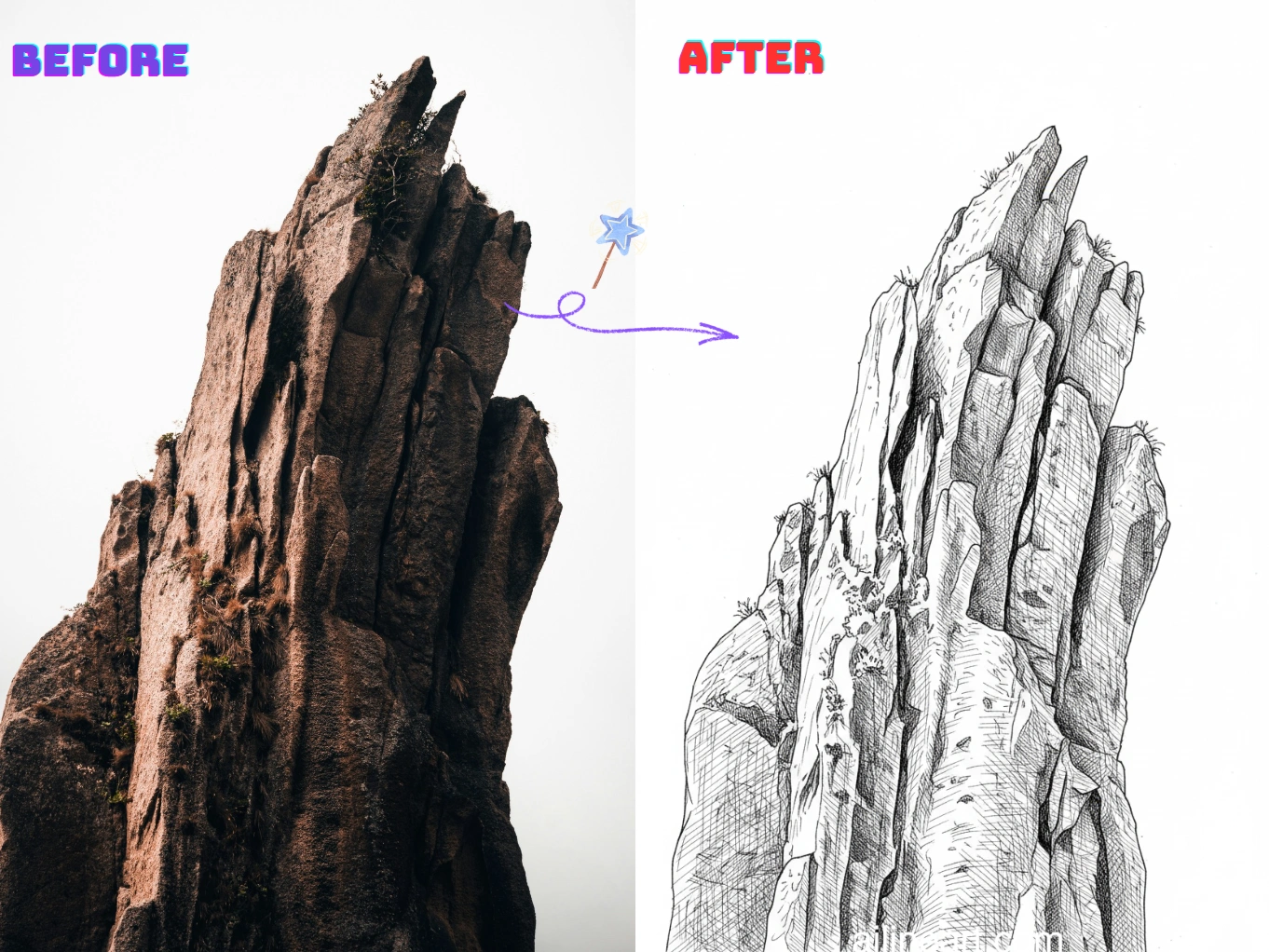
Cas d'Usage de Image en Dessin au Trait
Transformez des photos en dessins au trait propres et imprimables en quelques secondes.
Portrait en Dessin Linéaire
Convertissez des selfies et portraits en art linéaire fluide avec des traits du visage clairs et un bruit minimal — parfait pour les cadeaux, avatars et images de profil.


Contours de Produits et Objets
Créez des lignes de contour nettes à partir de photos de produits pour des manuels, maquettes et croquis — propre, cohérent et facile à modifier.


Coloriages & DIY
Transformez animaux, paysages et scènes du quotidien en contours imprimables pour le coloriage, l'artisanat et le matériel scolaire.


Comment utiliser le générateur Image en Dessin au Trait
Suivez ces étapes simples pour générer des dessins au trait avec notre générateur Image en Dessin au Trait

Téléchargez votre image
Sélectionnez l'image que vous souhaitez modifier avec Image en Dessin au Trait.
Saisissez un prompt (optionnel)
Décrivez ce que vous souhaitez modifier dans l'image. Optionnel.
Cliquez sur le bouton générateur
Cliquez sur le bouton du générateur pour lancer le générateur IA et commencer la génération d'images.
Téléchargez l'image
Téléchargez votre image line art en haute qualité, prête à être utilisée dans vos projets.
Fonctionnalités de Image en Dessin au Trait
Créez des dessins au trait propres et de haute qualité à partir de n'importe quelle photo avec Image en Dessin au Trait.
Détection de Bords Nette
Extrait automatiquement des contours précis des photos tout en réduisant le désordre et le bruit de fond pour un véritable aspect de dessin au trait.
Style de Trait Ajustable
Contrôlez l'épaisseur du trait, le niveau de détail et le contraste pour correspondre à votre style préféré de croquis ou de contour.
Simplification de l'Arrière-plan
Mettez les sujets en valeur en simplifiant les scènes chargées en contours clairs, faciles à imprimer, décalquer ou éditer.
Exports Haute Résolution
Téléchargez des résultats nets en haute résolution, adaptés à l'impression, aux autocollants, à l'artisanat et au design numérique.
Traitement Rapide
Générez des résultats en quelques secondes grâce à un processus optimisé — idéal pour la création par lots et l'itération rapide.
Aucune Installation Requise
Utilisez directement dans votre navigateur sur n'importe quel appareil — aucun téléchargement, aucune configuration, il suffit de télécharger et générer.
Démarrez avec Image en Dessin au Trait Maintenant
Rejoignez des milliers de créateurs qui convertissent des images en dessin au trait avec Image en Dessin au Trait
Pourquoi choisir notre générateur Image en Dessin au Trait ?
Pourquoi utiliser notre générateur Image en Dessin au Trait pour transformer les images en dessins au trait propres ?
Extraction de Contour Précise
Notre générateur de dessin au trait IA détecte les bords du sujet et les détails clés pour produire des contours nets et cohérents.
Générateur de photo en dessin au trait en un clic
Téléchargez une photo et notre générateur de dessin au trait vous fournit un dessin au trait propre en quelques secondes — pas de décalquage, pas de nettoyage manuel.
Résultats Prêts à Imprimer
Utilisez le générateur pour produire des dessins au trait à fort contraste faciles à imprimer, colorier, décalquer et modifier pour l'artisanat et le design.
Apprécié par les utilisateurs de Image en Dessin au Trait
Découvrez les avis des artistes et créateurs qui utilisent Image en Dessin au Trait chaque jour.
"La colorisation IA est incroyable ! Elle comprend exactement où appliquer la couleur et crée de magnifiques dégradés. Ce qui me prenait des heures se fait maintenant en quelques secondes."

Sarah Chen
Artiste digitale
"En tant qu'artiste manga, coloriser mes planches prenait énormément de temps. Cet outil est parfait : les couleurs respectent les contours et les ombres semblent naturelles."

Mike Roberts
Auteur de manga
"J'étais sceptique au début, mais Image en Dessin au Trait m'a impressionnée. Les résultats paraissent peints à la main — mes clients adorent les couleurs vibrantes."

Emily Wang
Illustratrice
"Cet outil a révolutionné mon flux de travail. L'IA comprend la structure des traits et colorise intelligemment, me permettant de produire davantage sans sacrifier la qualité."

David Kim
Artiste BD
"Idéal pour tester rapidement différents styles ! Je fais mes croquis en noir et blanc puis j'explore différentes palettes instantanément avec Image en Dessin au Trait."

Lisa Thompson
Artiste conceptuelle
"En tant qu'étudiant, je ne peux pas payer des logiciels coûteux. Image en Dessin au Trait me fournit une colorisation de qualité professionnelle gratuitement !"

Alex Martinez
Étudiant en animation
Foire Aux Questions (FAQ)
Explorez les questions courantes et leurs réponses sur Image en Dessin au Trait.
01Qu'est-ce que Image en Dessin au Trait ?
Image en Dessin au Trait est un outil IA qui convertit des photos en dessins au trait propres. Il extrait des contours nets et simplifie les détails pour un véritable aspect artistique.
02Comment convertir une image en dessin au trait ?
Téléchargez votre image et Image en Dessin au Trait générera automatiquement une version en dessin au trait. Vous pouvez ajuster les réglages comme le niveau de détail et télécharger le résultat.
03Comment fonctionne la conversion ?
Notre IA analyse les bords, le contraste et les structures clés de votre image, puis les convertit en contours simplifiés, en gardant les détails importants.
04Dois-je savoir dessiner pour utiliser Image en Dessin au Trait ?
Non. Image en Dessin au Trait est conçu pour les débutants et les professionnels — il suffit de télécharger une image et d'obtenir un dessin propre sans décalquage manuel.
05Puis-je utiliser le dessin généré à des fins commerciales ?
Oui, le dessin au trait généré avec Image en Dessin au Trait peut être utilisé pour des projets commerciaux selon nos conditions d'utilisation.
06Quelles images fonctionnent le mieux ?
Les images avec des sujets clairs et un bon contraste fonctionnent le mieux — portraits, produits, animaux. Les arrière-plans très chargés peuvent produire des lignes superflues.
07Puis-je contrôler le niveau de détail ?
Oui. Vous pouvez généralement ajuster le niveau de détail, l'épaisseur du trait et le contraste pour créer tout, du contour minimaliste au croquis détaillé.
08Quels formats d'image sont supportés ?
Image en Dessin au Trait supporte les formats PNG, JPG et WEBP. Pour de meilleurs résultats, téléchargez une image claire et haute résolution.
09Comment obtenir des résultats plus propres ?
Utilisez des images avec un bon éclairage, évitez les arrière-plans trop complexes et essayez d'augmenter le contraste ou de réduire les détails.
10Mon image téléchargée est-elle privée ?
Oui, vos téléchargements et résultats sont traités de manière sécurisée. Nous respectons votre vie privée et ne partageons pas vos images sans permission.
Encore des questions ? Contactez-nous à hello@ailineart.com
Outils IA associés
Découvrez plus d'outils générateur IA propulsés par AI Line Art

Nano Banana 2
Nano Banana 2 - Génération d’images IA 4K ultra-rapide. Ratios ultra-larges, cohérence des personnages, rendu de texte net et Google Search pour des références précises.

Générateur de couverture IA
Créez des couvertures IA avec titre et auteur lisibles pour Kindle, KDP, Wattpad et l’autoédition.

Colorisation Line Art par IA
Colorisez votre line art avec l’IA — gratuit, rapide et simple. Compatible avec le téléversement d’images et plusieurs styles de colorisation.

Image en Dessin au Trait
Transformez n'importe quelle image en dessin au trait sans effort. Conversion par IA avec plusieurs styles, résultats rapides et faible coût.

Art Linéaire Minimaliste
Transformez n'importe quelle image en élégant art linéaire minimaliste grâce à l'IA. Rapide, gratuit et facile.

Art Linéaire 3D
Convertissez des images en superbe art linéaire 3D sans effort avec notre générateur IA. Traitement rapide, interface conviviale et styles artistiques variés disponibles gratuitement.

Simplification d'Esquisses IA
Affinez les esquisses désordonnées en art linéaire poli avec l'IA. Supprimez instantanément l'encombrement, lissez les lignes et créez des résultats professionnels en quelques secondes.

Générateur de Pages à Colorier IA
Transformez n'importe quelle image en pages à colorier imprimables avec l'IA. Créez instantanément des livres de coloriage personnalisés avec plusieurs styles - des contours simples aux designs détaillés. Rapide et facile à utiliser.

Générateur de BD IA
Transformez toute idée en bande dessinée multi-cases avec l IA. Styles manga, webtoon et classique en quelques secondes — gratuit, sans inscription.

Générateur de pixel art IA
Créez du pixel art IA net en ligne : sprites 8-bit, assets 16-bit, icônes, avatars et scènes isométriques en quelques secondes.

Générateur d'OC IA
Créez instantanément des OC uniques avec le générateur de personnages IA. Plusieurs styles artistiques, téléchargement d'images de référence et création ultra-rapide. Aucune compétence requise.

Séparation de calques par IA
Divisez des illustrations plates en calques nets et modifiables par IA — séparez personnages, arrière-plans et objets en secondes.