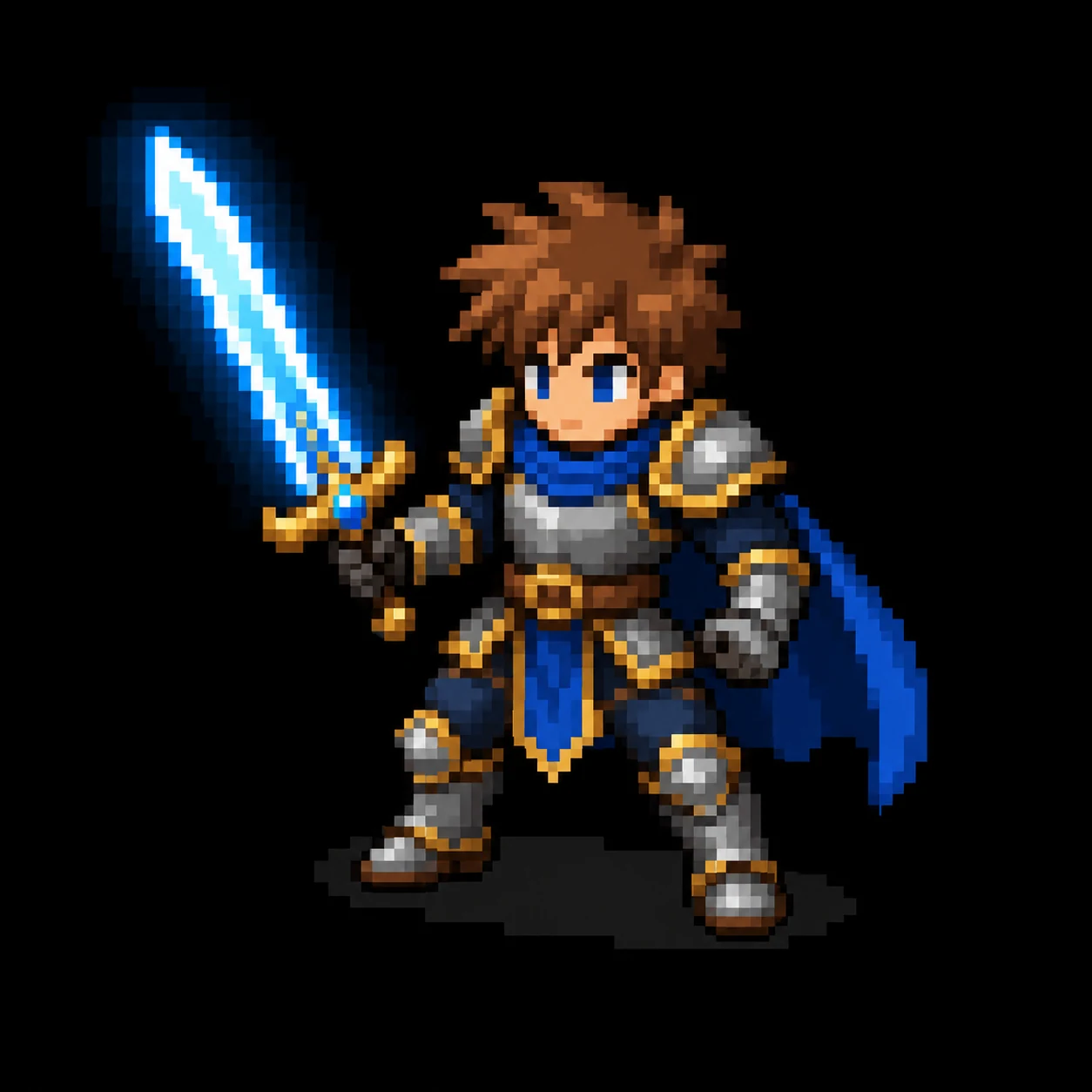
AI Pixel Art Generator examples
Explore crisp pixel art ideas for sprites, isometric scenes, inventory icons, avatars, and retro illustrations.
Character sprites
Design readable pixel characters with strong silhouettes, compact details, and a retro game-ready look.

Isometric scenes
Build cozy rooms, shops, towns, and fantasy environments with tile-like geometry and crisp pixel detail.

Pixel icons
Generate centered item icons, badges, app visuals, and inventory assets with sharp edges and limited palettes.

How to use AI Pixel Art Generator
Generate polished pixel art in a few steps, whether you start from a written idea or a reference image.

Describe the asset
Enter a prompt for a character, item icon, avatar, building, scene, or other retro game asset.
Choose a pixel style
Pick 8-bit, 16-bit RPG, sprite, isometric, pixel icon, cyberpunk, cute, or monochrome styles.
Add a reference image
Upload an optional reference to preserve the subject, silhouette, colors, or composition.
Generate and download
Create the artwork, review the result, and download it for mockups, avatars, icons, or creative projects.
Create pixel art for games, icons, and avatars
AI Pixel Art Generator focuses on the details that make pixel art feel intentional: hard edges, visible blocks, limited palettes, and retro readability.
Prompt-to-pixel art
Describe a character, prop, icon, landscape, or fantasy scene and turn it into pixel art instantly.
Game asset styles
Generate sprite-like characters, RPG props, isometric scenes, and inventory icons for early game concepts.
Reference image support
Upload a character or object and convert it into a recognizable pixel art version.
Limited palette look
Use style prompts that favor controlled colors, clean silhouettes, and crisp retro detail.
Fast online workflow
Create pixel art in your browser without complex software, manual grids, or prompt engineering.
Download-ready results
Save generated pixel art for mockups, profile pictures, social posts, game docs, and creative boards.
Generate pixel art with AI Pixel Art Generator
Start with a prompt or upload a reference image, then create crisp retro artwork for your next character, icon, avatar, or game idea.
Why use AI Pixel Art Generator?
Designed for creators who want a real pixel-art feel, not a blurry filter over a normal image.
Pixel-first prompts
The generator is guided toward visible square pixels, hard edges, limited palettes, and retro game readability.
Built for fast ideation
Explore sprite, avatar, icon, and scene concepts quickly before polishing favorites in a pixel editor.
Useful creative formats
Choose styles that match common pixel art use cases, from inventory icons to isometric rooms and character sprites.
Creators use AI Pixel Art Generator for fast retro visuals
From indie game concepts to social avatars, pixel art ideas are easier to explore when the first draft is instant.
"AI Pixel Art Generator helps me test character sprite ideas before I spend time polishing them by hand."

Maya Chen
Indie Game Designer
"I use it for quick item icon concepts. The limited-palette prompts give me a solid starting point."

Leo Martinez
Pixel Artist
"It turned my avatar idea into a cute retro profile picture in seconds."

Nora Kim
Streamer
"AI Pixel Art Generator is perfect for getting placeholder art that still feels stylish and coherent."

Ethan Brooks
Game Jam Developer
"The isometric style is great for pitching cozy game environments without building every tile manually."

Ava Patel
Creative Director
"I use the pixel icon style to brainstorm playful badges and app visuals."

Sam Wilson
App Maker
AI Pixel Art Generator FAQ
Answers about using AI Pixel Art Generator for sprites, icons, avatars, reference images, and game art concepts.
01What can I create with AI Pixel Art Generator?
You can create pixel art characters, sprites, item icons, avatars, isometric scenes, retro illustrations, badges, and game concept assets.
02Can I turn an image into pixel art?
Yes. Upload a reference image and the generator will use it as visual guidance while recreating the subject in a crisp pixel art style.
03Is this good for game sprites?
It is useful for concept sprites, placeholders, mood boards, and early asset direction. For final production sprites, you may still want to polish frames manually in a pixel editor.
04Does AI Pixel Art Generator make real pixel art or just a filter?
The prompt system is tuned for visible square pixels, hard edges, limited palettes, and retro readability instead of simply blurring or posterizing an image.
05Which pixel art styles are available?
You can choose classic 8-bit, 16-bit RPG, character sprite, isometric, pixel icon, cyberpunk, cute kawaii, and monochrome styles.
06Can I make avatars and profile pictures?
Yes. Describe the person or character you want, choose a cute, 8-bit, 16-bit, or cyberpunk style, and generate a retro avatar.
07Do I need pixel art software?
No. AI Pixel Art Generator runs in your browser. You can generate first drafts online and optionally refine the result later in tools like Aseprite or other pixel editors.
Still have questions? Email us at hello@ailineart.com
Related AI Tools
Explore more AI generator tools powered by AI Line Art

Nano Banana 2
Nano Banana 2 - Lightning-fast 4K AI image generation. Ultra-wide aspect ratios, character consistency, crisp text rendering, and Google Search for accurate references.

AI Book Cover Generator
Create genre-ready AI book covers with clear title and author typography for Kindle, KDP, Wattpad, and indie publishing.

AI Line Art Colorization
Turn black & white line art into stunning colored artwork with AI. Anime, manga, characters, illustrations — free, instant, no skills needed.

Image to Line Art
Turn any image into line art effortlessly. AI-powered conversion with multiple styles, fast results, and low cost.

Minimalist Line Art
Turn any image into elegant minimalist line art using AI. Fast, free, and easy.

3D Line Art
Convert images into stunning 3D line art effortlessly with our AI generator. Quick processing, and diverse artistic styles available for free.

AI Sketch Simplification
Refine messy sketches into polished line art with AI. Instantly remove clutter, smooth lines, and create professional results in seconds.

AI Coloring Page Generator
Transform any image into printable coloring pages with AI. Create custom coloring books instantly with multiple styles - from simple outlines to detailed designs. Fast and easy to use.

AI Comic Strip Generator
Turn any story idea into a clean multi-panel comic strip with AI. Manga, webtoon, and classic comic styles in seconds — free, fast, no sign-up.

AI Pixel Art Generator
Create crisp AI pixel art online. Generate 8-bit sprites, 16-bit game assets, icons, avatars, and isometric scenes in seconds.

AI OC Maker
Instantly create unique OCs with AI character generator. Features multiple art styles, reference image upload, and lightning-fast creation. No skills required.

AI Layer Split
Split flat illustrations into clean, editable layers with AI — separate characters, backgrounds, and objects in seconds for editing and game art.