AI Manga Image Translator
Translate comic dialogue and speech bubbles with AI Manga Image Translator.
Preserve decorative lettering like ZIP! and Zzz…
1 credit per image
Try with guest credits, or sign in to keep creating.
Your translation
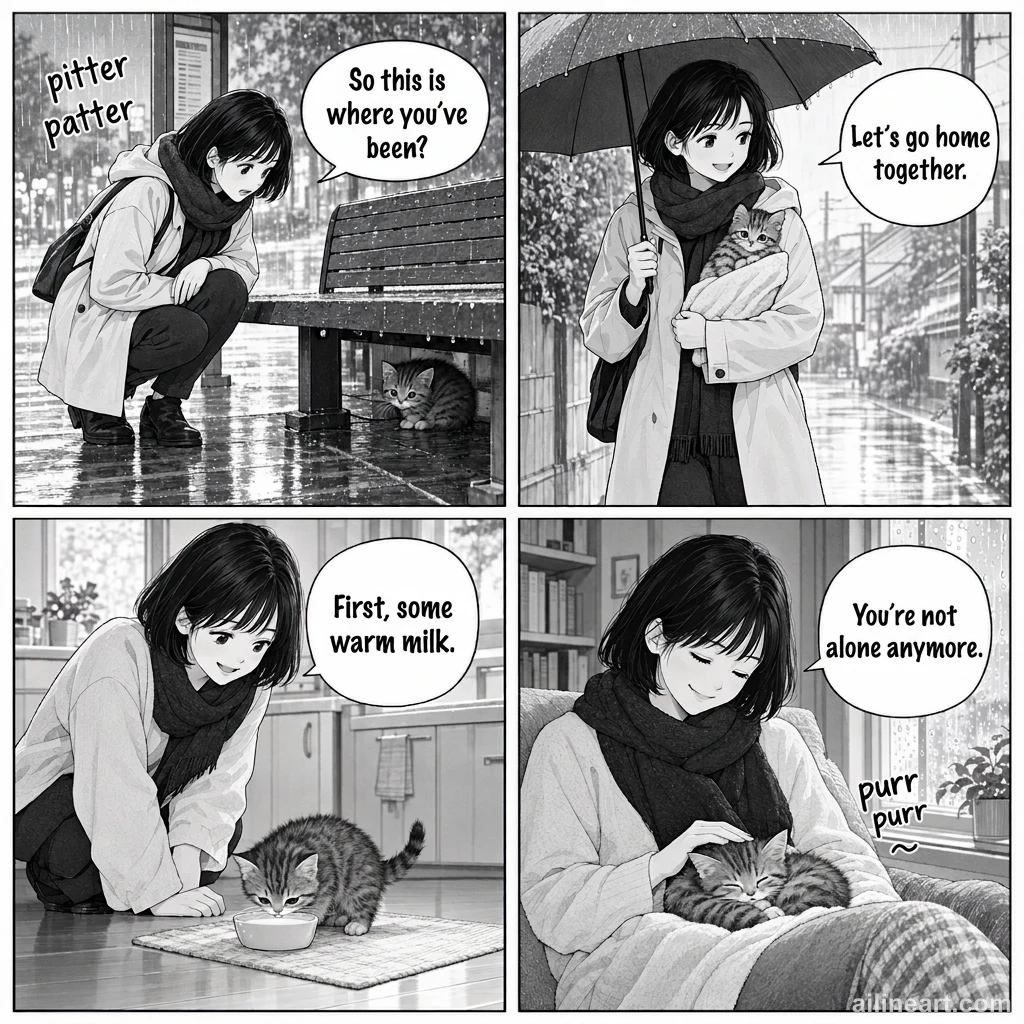
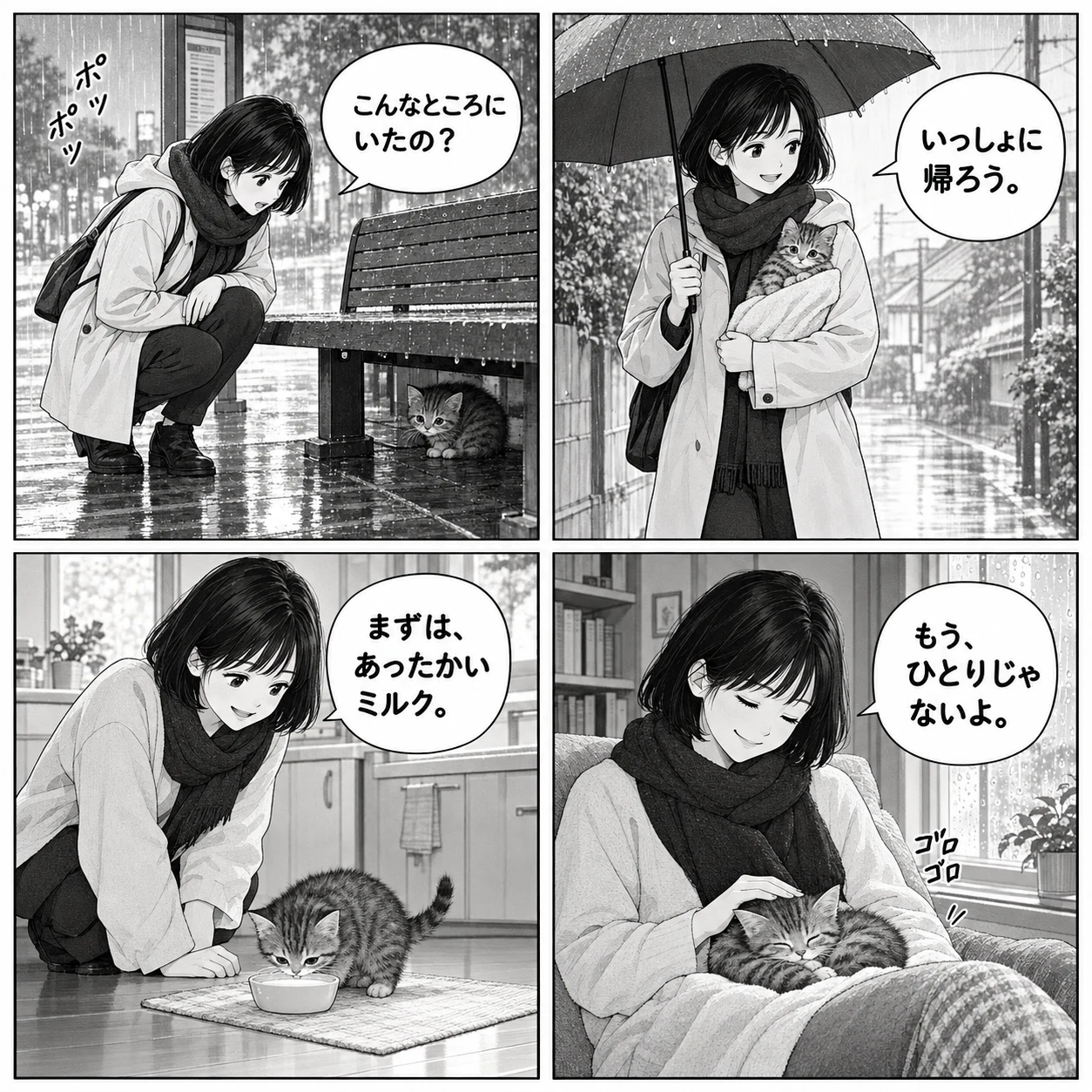 OriginalTranslated
Slide to compare
Manga translation examples: before and after
Compare Japanese-to-English, Korean-to-English, and English-to-Chinese comic translations with the slider.
A rainy day rescue
See Japanese dialogue translated into English in a black-and-white manga. Compare the speech bubbles, lettering, sound effects, and artwork.
OriginalTranslatedMoonlight Bakery
Compare Korean dialogue and the bakery sign with the English translation in this full-color comic.
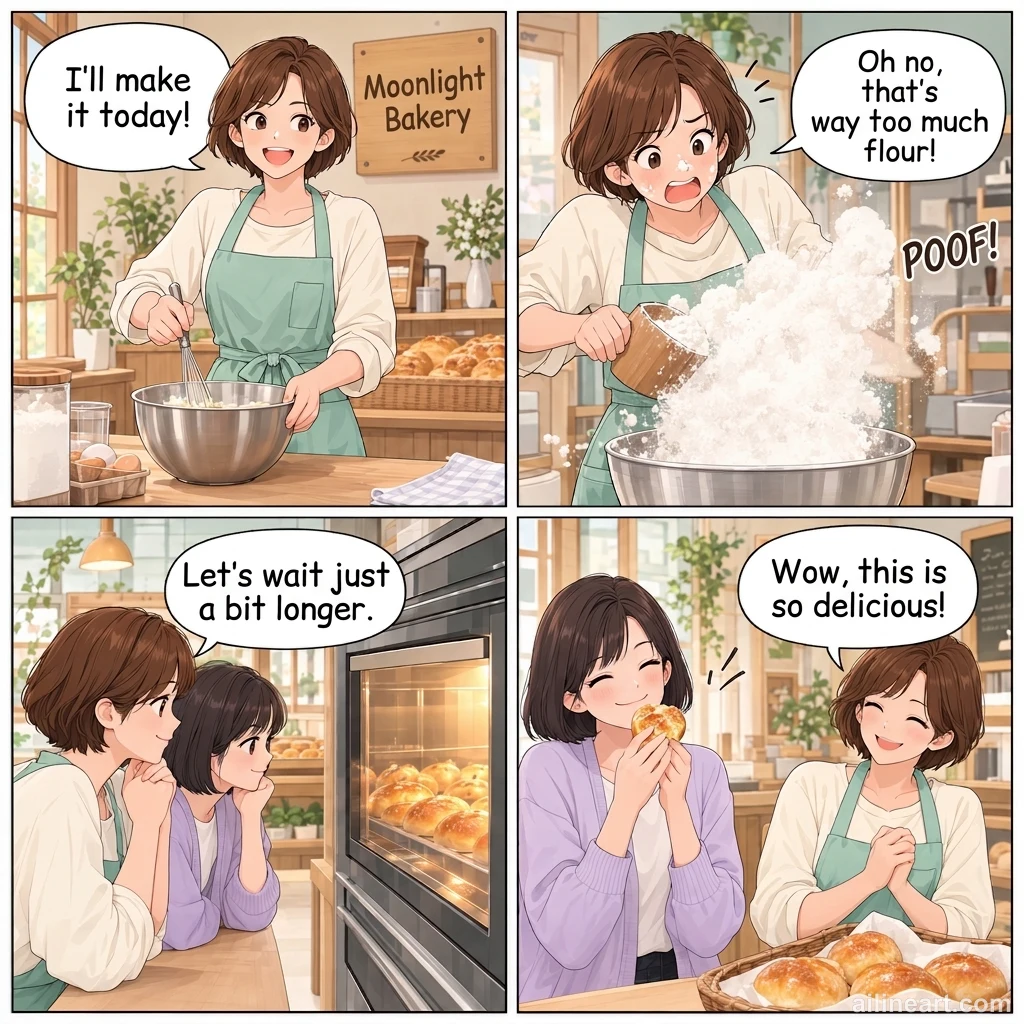
 OriginalTranslated
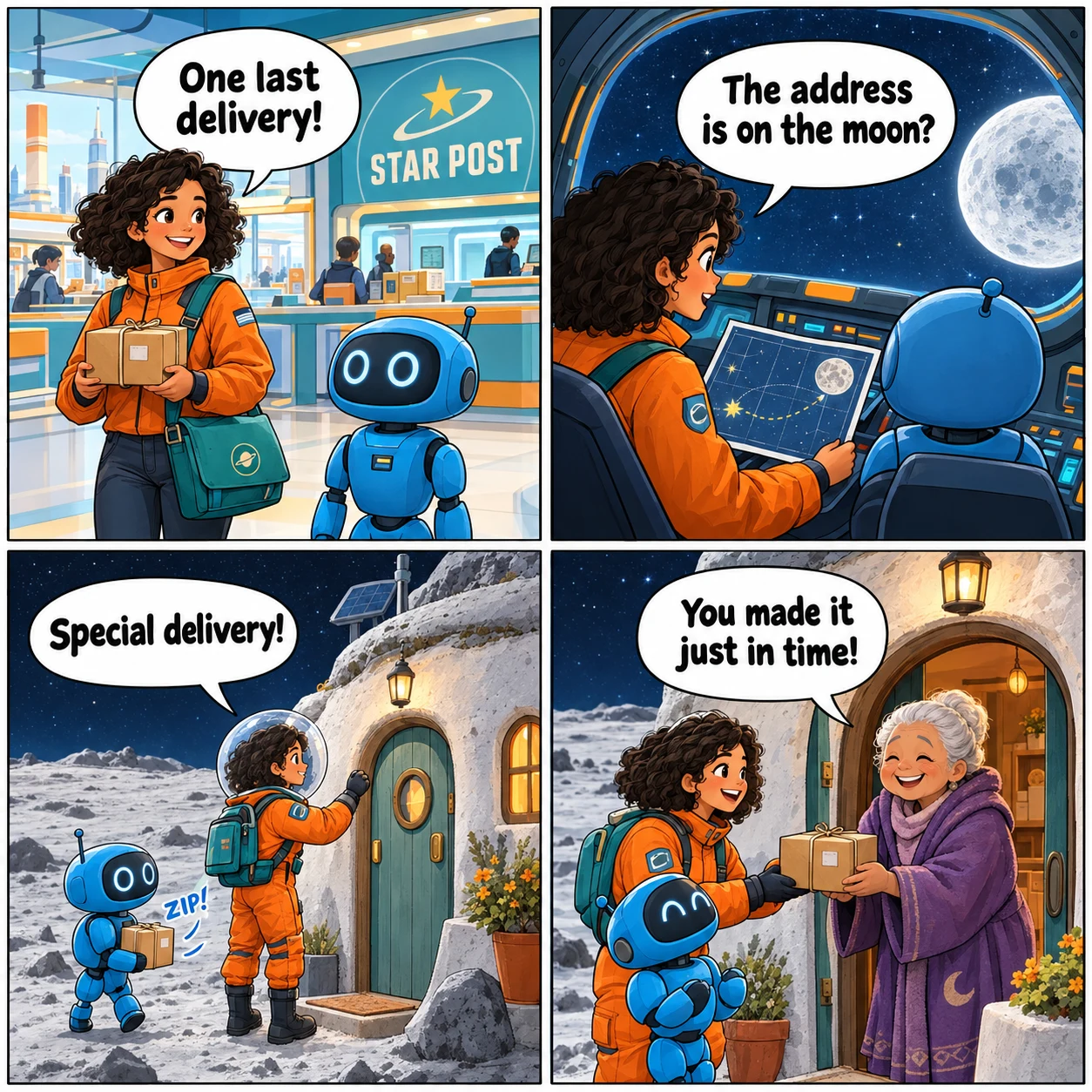
A delivery to the moon
See English dialogue and the post office sign translated into Simplified Chinese in a colorful space adventure.
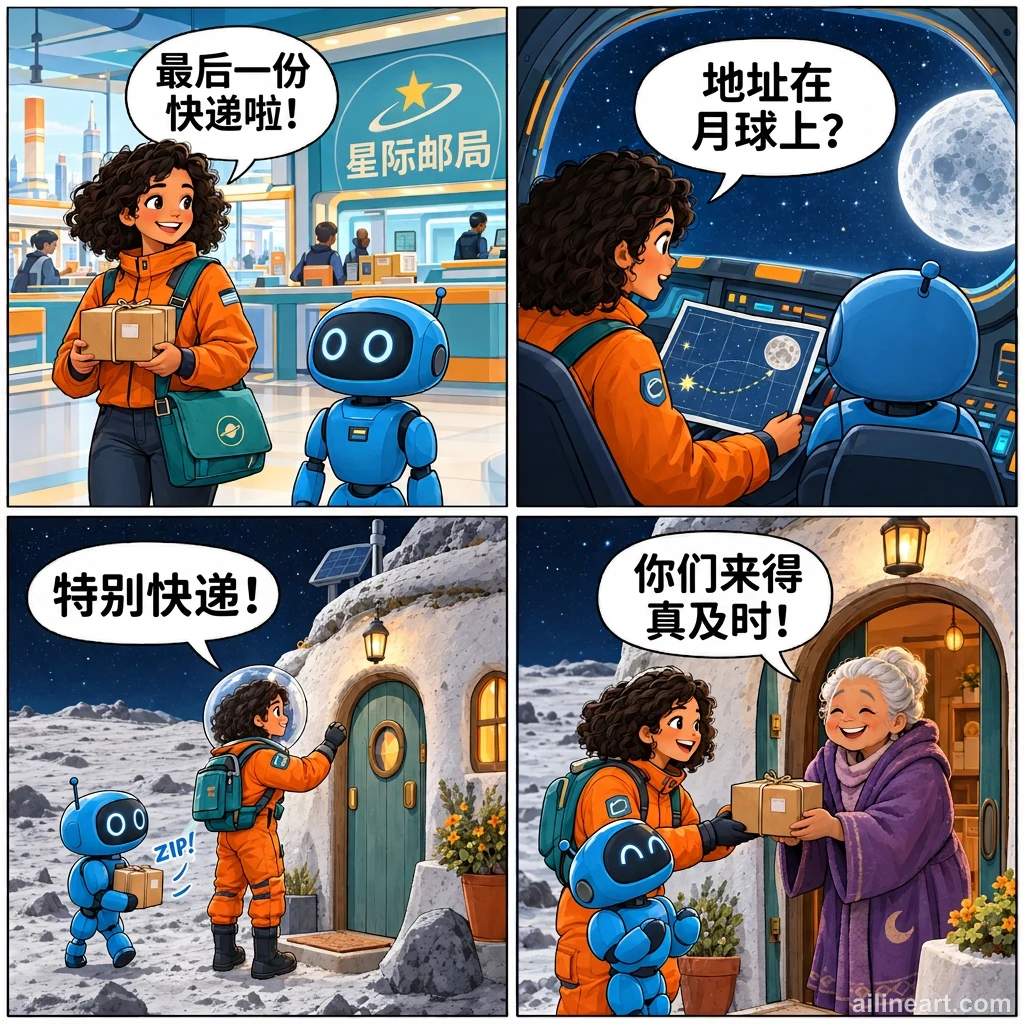
 OriginalTranslated
How to use AI Manga Image Translator
Upload a page, choose a language, compare, and download.

Upload one clear manga page
Choose a JPG, PNG, or WebP image up to 10 MB. Crop away browser controls and keep speech bubbles large enough to read. Split long webtoon strips into shorter images.
Set the translation languages
Choose a source language or use auto-detect, then select the language you want to read. Leave Keep original sound effects enabled if decorative lettering should remain in the original language.
Translate and compare the result
Complete human verification to translate with guest trial credits, or sign in to use your account credits. Use the before-and-after slider to check names, dialogue, lettering, and any changes to the artwork.
Download the translated image
Save the translated image in your selected format. Keep the original for reference and check small text at full size before sharing.
AI Manga Image Translator features
Translate dialogue, choose a language, and compare the results.
Dialogue, bubbles, and signs
Translate speech bubbles, thought bubbles, narration boxes, chapter labels, and readable background signs in the same image. Clear lettering gives the model a better starting point.
Text placed back inside the page
Receive a translated image with the original panel layout and character composition as the guide. This image-based workflow keeps the words alongside the scene they describe.
Before-and-after comparison
Slide between the original and the translated page to inspect meaning, text placement, and artwork changes. You decide whether the output is ready to download.
Nine target language choices
Choose English, Japanese, Korean, Simplified Chinese, Traditional Chinese, Spanish, French, German, or Portuguese. Source language auto-detection is also available when you are unsure what the page uses.
Control decorative sound effects
Keep original sound effects asks the model to preserve expressive lettering such as ZIP! and Zzz… while translating dialogue and narration. Check the output because stylized text can still change.
Resolution and download options
Choose 1K, 2K, or 4K for 1, 3, or 5 credits. The default is 1K. A paid plan unlocks 2K and 4K, plus JPG, WebP, and SVG downloads; PNG is available to signed-in users.
Read your next chapter in your language
Start with AI Manga Image Translator: bring one clear page, choose a language, and review the words in context.
Why choose AI Manga Image Translator?
Read translated dialogue alongside the artwork, with the original for comparison.
Read the scene with the words
A sentence in a speech bubble depends on the surrounding scene. The model receives the whole image as context, rather than a list of detached text fragments. Ambiguous names and dialogue still need your review.
Work with manga and color comics
Use the same upload workflow for black-and-white manga and full-color comics. Compare the three examples to inspect dialogue, lettering, and artwork changes before translating your own page.
Make an informed choice before translating
Try the comparison examples without signing in. For your own page, the generator shows the credit cost before you start. Available credits are checked before a translation task is accepted.
Loved By AI Line Art Users
Hear from creators and professionals who use AI Line Art daily.
"The AI line art colorization is incredible! It understands exactly where to apply colors and creates beautiful gradients. What used to take me hours now takes seconds. A must-have tool for any artist!"

Sarah Chen
Digital Artist
"As a manga artist, coloring pages was always the most time-consuming part. This AI Line Art handles line art colorization perfectly - the colors stay within lines and the shading looks natural."

Mike Roberts
Manga Creator
"I was skeptical about AI colorization at first, but AI Line Art blew me away. The results look hand-painted, not like typical AI output. My clients love the vibrant colors!"

Emily Wang
Illustrator
"This tool has revolutionized my comic coloring workflow. The AI understands line art structure and applies colors intelligently. I can now produce more content without sacrificing quality."

David Kim
Comic Book Artist
"Perfect for quick concept iterations! I sketch in black and white, then use AI Line Art to explore different color schemes instantly. The AI line art colorization saves me so much time."

Lisa Thompson
Concept Artist
"As a student, I don't have budget for expensive software. AI Line Art gives me professional-quality line art colorization for free. The results are amazing and help my portfolio stand out!"

Alex Martinez
Animation Student
Manga image translation: your questions answered
01How does the AI Manga Image Translator work?
Upload one image and choose a target language. The AI Manga Image Translator reads the illustrated page and creates a new image with translated text placed inside it. Compare the result with the original before downloading. The output is an image, not an editable text or lettering file.
02Can I translate Japanese manga and Korean webtoons?
Japanese and Korean are supported as source languages. The examples include Japanese-to-English, Korean-to-English, and English-to-Chinese translations. Vertical text, tiny lettering, unusual fonts, and long webtoon strips still need careful review.
03Which languages can I translate a manga image into?
The target language menu offers English, Japanese, Korean, Simplified Chinese, Traditional Chinese, Spanish, French, German, and Portuguese. You can select the source language or let the model detect it. Review names, honorifics, jokes, and culturally specific phrases because automatic translations can miss nuance.
04Will the original artwork stay exactly the same?
The model is instructed to retain the composition and artwork, but small details, textures, icons, and line breaks can change. It does not guarantee pixel-perfect preservation. The sample comparisons show some of these changes. If an exact drawing is essential, keep the source and use the translation as a reference for manual lettering.
05Can I keep the original sound effects?
Yes. Keep original sound effects is enabled by default. It asks the model to preserve decorative motion lettering and sleep symbols while translating dialogue and narration. Stylized lettering is difficult to separate from artwork, so inspect both the translated text and any sound effects you wanted to retain.
06Is manga image translation free?
You can view, compare, and download the provided examples without signing in. You can translate with guest trial credits after human verification, without signing in first. Sign in when your trial credits run out or to download your generated translation. The generator displays the credit cost before you submit the page.
07Can I upload a PDF or translate a whole chapter at once?
This page accepts one JPG, PNG, or WebP image up to 10 MB per translation. PDF import, ZIP uploads, and chapter-wide batch translation are not available in this workflow. Export pages as individual images, or split long strips into readable sections, and review each result separately.
08What can I do if the text is too small or the result is unclear?
Try a clearer source image and crop away unrelated margins or app controls. For dense pages, work with fewer panels in one image so the lettering remains readable. Check line breaks, names, and meaning at full size. Keep the original image and verify the result before using it.
09What will I download after translating?
Download the translated image at your selected resolution and in your selected format. PNG is available after signing in; JPG, WebP, and SVG require a paid plan. Text remains part of the artwork, without editable speech-bubble layers.
10What should I do if a translation takes longer than expected?
The task may still be processing. Check My Work for a completed result before submitting the same page again. Keep your original image, then compare and download the translation when it is available.
Still have questions? Email us at hello@ailineart.com
Related AI Tools
Explore more AI generator tools powered by AI Line Art

AI Book Cover Generator
Create genre-ready AI book covers with clear title and author typography for Kindle, KDP, Wattpad, and indie publishing.

AI Line Art Colorization
Turn black & white line art into stunning colored artwork with AI. Anime, manga, characters, illustrations — free, instant, no skills needed.

Image to Line Art
Turn any image into line art effortlessly. AI-powered conversion with multiple styles, fast results, and low cost.

Minimalist Line Art
Turn any image into elegant minimalist line art using AI. Fast, free, and easy.

3D Line Art
Convert images into stunning 3D line art effortlessly with our AI generator. Quick processing, and diverse artistic styles available for free.

AI Sketch Simplification
Refine messy sketches into polished line art with AI. Instantly remove clutter, smooth lines, and create professional results in seconds.

AI Coloring Page Generator
Transform any image into printable coloring pages with AI. Create custom coloring books instantly with multiple styles - from simple outlines to detailed designs. Fast and easy to use.

AI Comic Strip Generator
Turn any story idea into a clean multi-panel comic strip with AI. Manga, webtoon, and classic comic styles in seconds — free, fast, no sign-up.

AI Pixel Art Generator
Create crisp AI pixel art online. Generate 8-bit sprites, 16-bit game assets, icons, avatars, and isometric scenes in seconds.

AI OC Maker
Instantly create unique OCs with AI character generator. Features multiple art styles, reference image upload, and lightning-fast creation. No skills required.

AI Layer Split
Split flat illustrations into clean, editable layers with AI — separate characters, backgrounds, and objects in seconds for editing and game art.
Ask AI about this page
Explore this page with your preferred AI assistant.
For Gemini, or if a prompt is not prefilled, copy the prompt and paste it into your assistant.